Updated 1 November 2026comparison
Best Client Portal Software: 7 Options for Agencies
Seven client portal options for agencies and service businesses, from branded workspaces to an all-in-one platform with a white label portal.
 Ashley Kemp14 min read
A client portal can put updates, payments and project details in one place instead of spreading them across email threads and shared links. For agencies that also need lead follow up and booking, we recommend GoHighLevel, while the other options below suit more focused client workflows.
1. GoHighLevel: Client portal with CRM and marketing in one account
GoHighLevel gives agencies a client portal inside the same account as their CRM, funnels, booking, email and SMS. One account replaces a separate CRM, email and SMS tool, funnel builder, booking tool and client portal, starting at $97 a month.
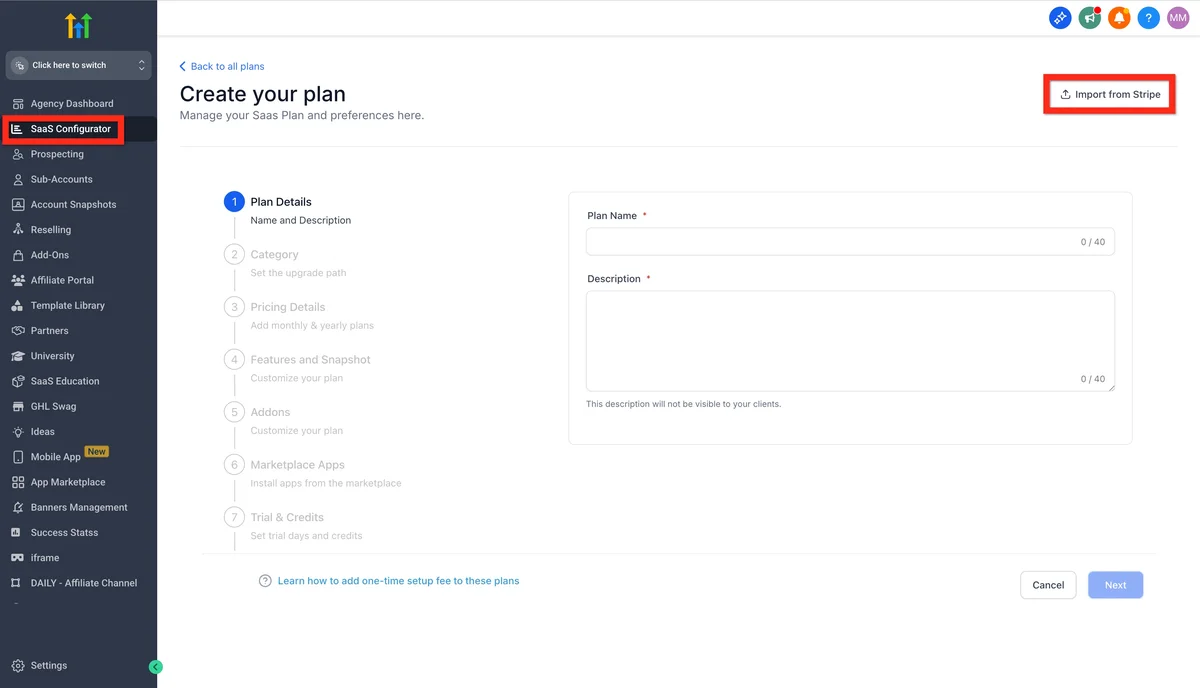
For agencies that need a portal alongside CRM, funnels, email and SMS, GoHighLevel, also called GHL, is our recommended platform. Its Starter plan costs $97 per month and includes up to three client accounts. A branded client portal mobile app is an add on at $49 a month per client account.
That bundle can reduce the number of separate subscriptions you manage. It does not mean every agency can cancel every other tool. Some teams keep reporting, project management or design software, and phone, text, email and AI usage can add charges.
For a broader look at how those pieces fit together, see our all in one software options for marketing agencies. Start with the jobs you need the portal to handle, then check whether the account structure fits your client count.
Pick GoHighLevel if you want the portal to sit beside marketing and sales tools in one account. Skip it if you only need a place to book appointments or send email, and have no use for the wider platform.
GoHighLevel's $97 Starter plan has a clear client account limit. The Unlimited plan costs $297 per month and includes unlimited client accounts. Founder (previously Agency Pro) costs $497 per month for agencies that want to resell the platform. All plans include unlimited users, while texts, calls, email and AI have usage charges.
You can start a 30-day free trial through our link. A card is required at sign up, but it is not charged during the trial. Check your expected messaging and AI use before comparing the monthly plan price with your current stack.
Our white label software comparison for agencies can help if branded client access or software resale is part of your buying decision.
2. SuiteDash: Extensive branded client workspace
SuiteDash combines a branded client workspace with business tools such as CRM, projects, billing and forms. It suits agencies that want a wide set of client and operations features under one login, with a flat starting price of $19 per month and unlimited users and clients.
Its white label setup includes a custom domain and a branded mobile app. The client facing workspace can hold project information, billing and files, while forms can collect information during onboarding. This can help when clients need one familiar place to check work and send details instead of searching old messages.
The flat price is a useful contrast with per user plans. If your team grows, unlimited users can make the monthly software cost easier to plan. SuiteDash also has a broad feature set, so the work of setting up its modules matters. A dense interface and a learning curve may feel like extra work for an owner who only needs a basic portal.
For example, a small agency could use the portal to gather a client brief, share project files and keep invoices close to the work. Before moving every process, decide which modules your clients will actually use. A client login that exposes too many sections can make a simple task harder to find.
Pick SuiteDash if you want a wide branded workspace with a flat monthly cost and room for staff and client accounts. If your priority is selling a service directly through a self serve catalogue, Wayfront is more closely aligned with that workflow.
Portal access also raises questions about client data. Ask vendors about access controls, backups and how your team manages client information, rather than assuming a branded login answers every security question.
3. Wayfront: Productised services and self serve purchases
Wayfront is built for agencies selling repeatable productised services through a branded client portal. Its features include a service catalogue, self serve purchases, payments and delivery tracking. The Base plan costs $99 per month with annual billing for five users. The Pro plan costs $249 per month with annual billing.
This model connects a purchase with the work that follows. A client chooses a service, pays, and completes intake. The order can then start delivery tasks and keep the client’s next steps tied to the service. That suits agencies that sell the same defined package repeatedly and want to reduce manual handoffs after checkout.
Imagine your agency sells a fixed audit package. The client can choose the offer and provide the brief through the portal. Your team can then track delivery in the same client space, rather than rebuilding the task list for each order.
Wayfront’s fit depends on how standard your services are. A catalogue works best when buyers can understand what they are ordering and the delivery process follows a repeatable pattern. A firm that scopes every engagement from scratch may not get as much value from self serve purchase flows.
Seats are part of the plan price, so include your delivery team when you estimate the cost. Compare that figure with the time your team spends moving purchase details into project work. The price alone will not tell you whether a catalogue based process suits your agency.
Pick Wayfront if clients can buy defined services and your delivery follows a known path. It is a more targeted fit than a general client portal when checkout and order tracking are central to the service.
4. Plutio: Solo consultants and small agencies
Plutio brings proposals, projects, time tracking, invoicing and a client portal into one tool. Its plans range from $19 per month for Core to $199 per month for Max. A white label add on is available for teams that want the client workspace to carry their brand.
For a solo consultant, that mix can keep the path from proposal to payment close to the project work. A new client can review a proposal, then use the portal as the engagement moves into tasks and invoicing. Time tracking also fits work billed by time, where hours need to sit alongside project records.
Small agencies may value having project and billing steps in one place without paying for a much larger operation system. Still, compare the plan level with your actual process. The key question is whether your team needs the portal and the project tools together, or whether a simpler space for client updates would do.
White label branding is an add on, so account for it when you compare the total cost. A low starting plan price is not the full cost if your client experience depends on branded access.
Pick Plutio if you are a consultant or small agency that needs proposals, time tracking and invoicing beside client work. If you want to sell a catalogue of repeatable services, Wayfront has a more direct focus on purchase and delivery.
5. AutomateNexus CRM: Branded client workspaces
AutomateNexus CRM starts at $49 per month for five users and includes white label branding with multi tenant client workspaces. Its features also include a custom domain, a white label client portal, AI agents and AI lead scoring.
The client workspaces give agencies a branded place to manage client related information, with their own name, logo and sign in page. Automation is part of the product’s capabilities, so buyers should consider what each AI agent is allowed to do in a workflow. For instance, drafting or sorting a task is different from taking an action that changes a client record. Set clear review points for work that affects client data.
AutomateNexus CRM lists more than 70 integrations, plus full API access and webhooks. That can matter when a portal needs to connect with existing services. Before switching, map the information that must pass between tools and test one important connection, such as a payment event or client record update.
Pick AutomateNexus CRM if branded client workspaces are central to your delivery process. Its starting price is $49 per month for five users, so include the size of your team and the integrations you need in your evaluation.
6. Zoho Creator: Custom dashboards and integrations
Zoho Creator is a low code app builder for teams that want to make custom client dashboards. Its features include drag and drop dashboard creation, client portal pages and visual widgets for tracking activity. A free plan is available, and prices increase as users are added.
This is a different route from choosing a ready made portal. You shape dashboard pages around the information your clients need to see. A consultancy could, for example, design a view around active work and status updates, using widgets to show the activity the team wants clients to track.
Zoho Creator also connects across other Zoho apps. That may suit a business already using those apps and looking for a client facing layer that fits its current setup. The trade off is that a custom dashboard takes planning. Decide who will build and maintain the pages, and test the client view before making it part of your day to day process.
Customisation does not remove the need to check access. Confirm that clients see only the records intended for them, and review how your team changes the dashboard as services evolve. Consider how a portal collects, stores and protects customer data.
Pick Zoho Creator if you need dashboards shaped around your own process and value connections across other Zoho apps. For a ready made service hub with apps already prepared, Assembly may require less building work.
7. Assembly: Branded service hub with ready made apps
Assembly gives service firms a CRM, a branded client experience, more than 30 ready made apps and an AI app builder for gaps in the setup. It has a free forever plan. Those pieces make it worth considering when your goal is a shared hub for the team and its clients, rather than a custom app built from scratch.
The ready made apps give a team a starting point for its client experience. Assembly also has an AI app builder for needs not covered by those apps. Its scope includes a branded experience and CRM, so consider how much client work you want to place in that hub before choosing it.
Here is a simple way to compare the fit of these options. The table focuses on the workflow each is most closely tied to, not a claim that one product has every function your business needs.
| Option | Workflow to consider | Pricing |
|---|---|---|
| GoHighLevel | CRM and marketing with client accounts | Starts at $97 per month, plus usage charges |
| SuiteDash | Branded workspace with a flat starting price | Starts at $19 per month, unlimited users and clients |
| Wayfront | Self serve service purchases and delivery | $99 per month annual billing for Base, five users |
| Plutio | Proposals, projects and time based work | Plans from $19 to $199 per month |
| AutomateNexus CRM | Client workspaces and white label branding | Starts at $49 per month for five users |
| Zoho Creator | Custom dashboards and app connections | Free plan, then prices increase by user |
| Assembly | Branded service hub with ready made apps | Free forever plan |
Security deserves its own check, even when the client facing pages look polished. Ask what controls manage staff and client access, how sensitive files are handled, and what records your team can review. Do not treat a vendor’s branding options or a portal login as proof of a specific security certification.
Also check the client’s side of the experience. Ask a colleague to find a file, send a message or complete a payment using the client view. If those basic tasks take too many steps, the portal may not reduce the back and forth that led you to shop for one.
Pick Assembly if you want a branded service hub with ready made apps and a free plan to start with. Compare the client tasks you need against the apps available before deciding whether you need to build anything with its AI app builder.
Frequently Asked Questions
What should client portal software include?
Which client portal is a good fit for a small agency?
Can I use a client portal with my own branding?
How much does client portal software cost?
Is GoHighLevel only a client portal?
How do I test a portal before moving all my clients?
Find the right fit for your client workflow
If your agency wants client access alongside sales and marketing tools, start by testing GoHighLevel with one client account and checking expected usage charges. Choose the portal that fits the work your clients actually do. Start the 30-day free trial, then decide whether the wider platform can replace enough of your current stack.
We earn a commission if you start GoHighLevel through the links on this page, at no extra cost to you.
DO THIS NEXT, FREE FOR 30 DAYS
The quickest way to know is to try it on real work.
- STEP 1Claim your free month
- STEP 2Rebuild one thing from this guide
- STEP 3Decide before day 30
Free for 30 days from the day you start. Card required.
Featured in Forbes and Business Insider.
Ashley Kemp is a digital entrepreneur and perpetual traveller. Switched from ClickFunnels to GoHighLevel years ago and never looked back. Writing about what actually works.
Was this article helpful?