Updated 23 October 2026guide
GoHighLevel Project Management: GHL vs ClickUp in 2026
GoHighLevel project management goes native at LevelUp 2026. What HighLevel showed, what GHL tasks do today, and how it compares with ClickUp.
 Ashley Kemp13 min read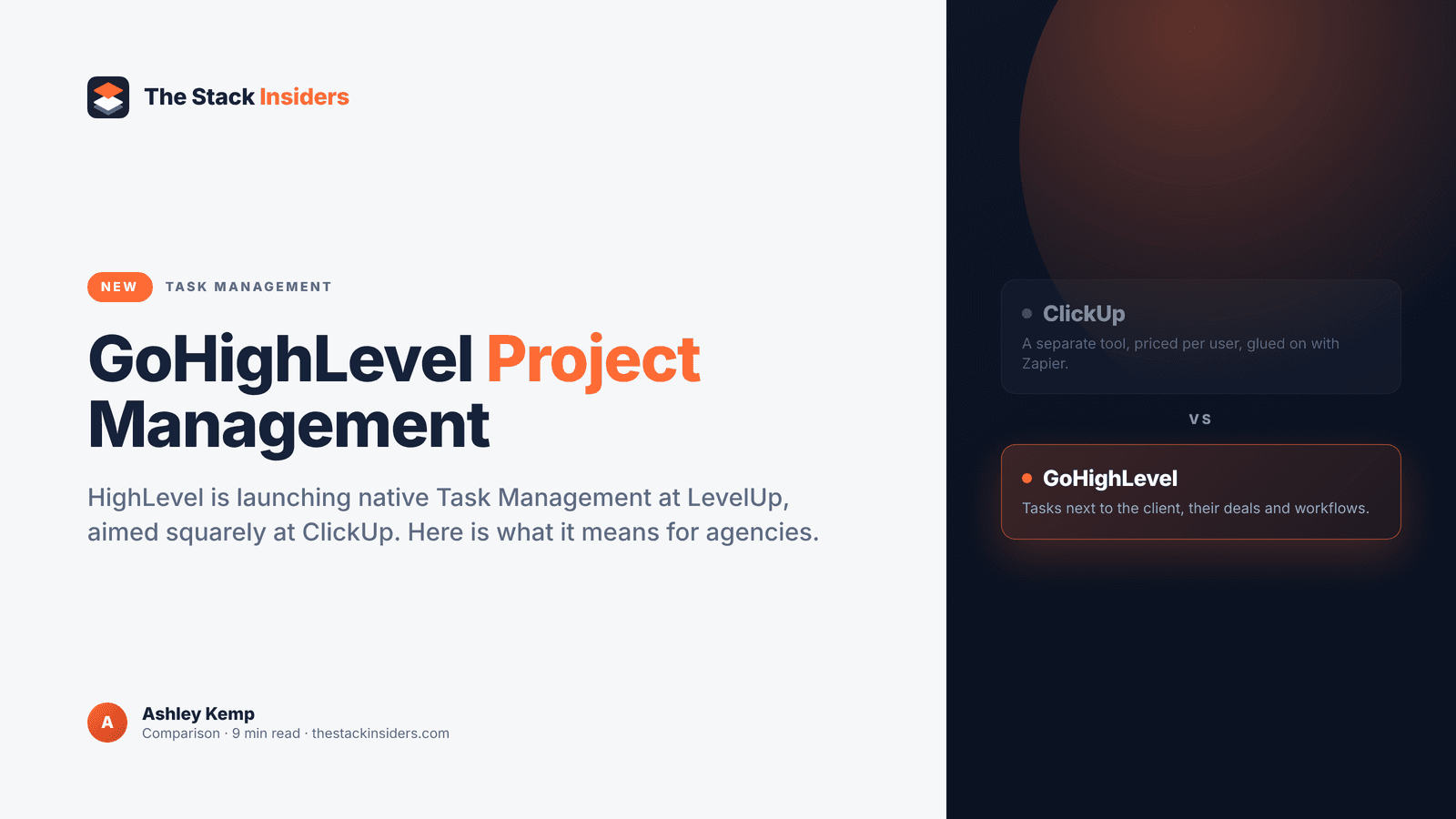
GoHighLevel project management is getting a proper home inside the platform. HighLevel is launching native Task Management at LevelUp 2026, rolling it out to Labs for all customers, and HighLevel's own framing is that it's built to replace ClickUp. If you run your agency on GHL and pay for ClickUp on the side, this is the launch to watch.
I got the pre-LevelUp briefing from HighLevel's affiliate team this week, so this post covers what's confirmed, what HighLevel has already shown, and how to plan around it. Last updated 23 October 2026. We're updating it live through LevelUp week, which runs from 26 to 29 October.
Does GoHighLevel have project management?
Yes. HighLevel is launching native Task Management at LevelUp 2026 (26 to 29 October), rolling out to Labs for all customers. HighLevel positions it as a ClickUp replacement, and GHL already includes a Tasks list with recurring tasks and bulk actions.
Does GoHighLevel have project management now?
GoHighLevel has task management today, and full project management arrives at LevelUp 2026. HighLevel's affiliate team confirmed that Task Management launches to Labs for all customers effective LevelUp, and HighLevel describes it as aimed at replacing ClickUp. That puts your projects in the same account as your clients, conversations and automations.
Until now, project management in GHL has meant one of three workarounds: the built-in Tasks list, a pipeline repurposed as a project board, or ClickUp bolted on through Zapier or Make. ClickUp has long been the most requested direct integration on HighLevel's ideas board, which tells you how many agencies run both tools every day. HighLevel's answer is to build the project layer in rather than connect to someone else's.
I've run my agency on GoHighLevel for years, ever since I switched over from ClickFunnels, so this post gets updated as soon as Task Management shows up in my own Labs. For the full list of what's being announced in Dallas, see our LevelUp 2026 hub.
PARTNER OFFER
Your first month of GoHighLevel is free.
Through our partner link you get 30 days on any plan, double the standard 14-day trial. Build something real before you pay a cent.
Claim my free monthCard required. Nothing charged for 30 days.
What did HighLevel show in its project management preview?
HighLevel's preview showed native project management living under Tasks, built from spaces, folders, lists, tasks and sub-tasks. Tasks carried due dates, assignees and priorities, and work could be viewed as a Kanban board or as a list. Treat that as what HighLevel showed in its preview, reported in September 2026 by Automated Marketer, with the final spec confirmed at LevelUp.
That layered structure is how most agencies already think about delivery. Here's one way an agency could map its work onto the pieces HighLevel showed.
| Shown in HighLevel's preview | How an agency could use it |
|---|---|
| Spaces | One space per department, such as Client Delivery, Sales and Internal |
| Folders | One folder per client |
| Lists | One list per project, launch or retainer month |
| Tasks and sub-tasks | Each deliverable, broken into the steps that get it done |
| Due dates, assignees, priorities | Who owns what, by when, and what gets done first |
| Kanban and list views | The board for weekly stand-ups, the list for bulk triage |
Picture a paid ads agency with twelve retainer clients. Each client gets a folder, each month gets a list, and the monthly report, creative refresh and budget review become tasks with sub-tasks and owners. The team works the Kanban board in the Monday meeting and the list view when the account manager needs to reassign a batch of tasks before a holiday.
The details we'll confirm at LevelUp are the ones that decide how far you can push it: whether project tasks link to contacts and opportunities, which workflow triggers and actions come with it, whether there are templates, and how it rolls out across sub-accounts. We'll add every answer to this post as we get it.
What can GHL task management do today?
GHL already has a Tasks list view under Contacts > Tasks, with filtering, sorting, bulk actions, recurring tasks and rich-text descriptions. It's built around follow-ups tied to your contacts, and it covers a lot of day-to-day agency work right now. Our GoHighLevel Tasks v2 agency guide walks through every part of it.
The real strength of GHL task management today is that tasks sit next to the contact they relate to. Your team opens a contact and sees the task, the conversation history and the opportunity in one place. Workflows can also create tasks automatically, so a CRM event like a signed proposal or a booked call can hand your team the next job without anyone typing it in.
Picture a web design agency where a new client pays the deposit. A workflow fires, creates the kickoff tasks for the project manager and designer, and sends the client a welcome message. Our client onboarding automation guide shows how to build that kind of flow, and our automation workflows guide covers the building blocks.
If part of your team already lives in another task tool, GHL's workflow connectors for Jira and Todoist can push work across. Our Jira and Todoist integration guide explains the setup.
What GHL doesn't have yet is the project hierarchy HighLevel showed in its preview: spaces, folders and lists that group tasks into projects, with a Kanban board for each. The mobile task manager already has a board view (our Tasks V2 guide covers it), so the new piece arriving at LevelUp is the project workspace on top.
Can GoHighLevel replace ClickUp for an agency?
HighLevel is building Task Management specifically to replace ClickUp, and for agencies whose client work already runs through GHL it's the obvious direction. Your tasks would live in the same account as the contacts, conversations, pipelines and workflows they relate to, with no Zapier bridge to maintain and one fewer login for the team.
Here's how the two set-ups compare for an agency that already runs its clients in GoHighLevel.
| Feature | GoHighLevel | ClickUp |
|---|---|---|
| Where client data lives | Same account as contacts, conversations, pipelines and payments | Separate workspace, so client details get copied in or synced |
| Automations creating tasks | GHL workflows already create tasks from CRM events today | Needs Zapier or Make to react to events in GHL |
| Client contact context | Tasks sit beside the contact record and conversation history | Contact history stays in your CRM, a tab away from the task |
| Project structure | Spaces, folders, lists and sub-tasks shown in HighLevel's preview | Established project hierarchy |
| Board and list views | Kanban and list views shown in HighLevel's preview | Available today |
| Availability | Launching to Labs for all customers at LevelUp 2026 | Available today |
| Cost of the extra tool | No second subscription to manage | From $7 per user per month billed yearly on Unlimited, per clickup.com/pricing |
| Logins for your team | One | Two, plus the connector in between |
The biggest win is context. When a task sits inside GHL, the person doing the work can see the client's last message, their open invoice and their pipeline stage without switching tabs. When the task sits in ClickUp, someone has to copy that context across or go looking for it.
The second win is automation. GHL workflows already fire on form submissions, bookings, payments and pipeline moves. With projects living in the same account, those events can feed delivery work directly instead of going through a third-party connector that someone on your team has to keep healthy. If you're weighing that connector cost already, our GoHighLevel vs Zapier breakdown is worth a read.
Get your first month free through our partner linkClaim my free monthWhat does running GoHighLevel and ClickUp together cost?
Running both tools means paying ClickUp per user on top of your GHL plan. ClickUp's pricing page lists Unlimited at $7 per user per month billed yearly ($10 billed monthly) and Business at $12 per user per month billed yearly ($19 billed monthly), checked on 23 October 2026 at clickup.com/pricing. That page also notes that upgrading ClickUp means upgrading your entire Workspace, so every member is billed.
Here's what that per-seat maths looks like for a typical agency team.
| Team size | ClickUp Unlimited, billed yearly | ClickUp Business, billed yearly | ClickUp Business, billed monthly |
|---|---|---|---|
| 5 people | $35/mo ($420/yr) | $60/mo ($720/yr) | $95/mo ($1,140/yr) |
| 10 people | $70/mo ($840/yr) | $120/mo ($1,440/yr) | $190/mo ($2,280/yr) |
| 20 people | $140/mo ($1,680/yr) | $240/mo ($2,880/yr) | $380/mo ($4,560/yr) |
That's before you add whatever you pay Zapier or Make to keep the two tools talking. ClickUp is also rolling out a new plan lineup (Core, Business, Business Plus, Enterprise and Max) to new workspaces, according to ClickUp's help centre, so check which prices your own workspace sees.
On the GoHighLevel side, the public plans are Starter at $97 a month, Unlimited at $297 a month, and the Founder's Plan (previously SaaS Pro / Agency Pro) at $497 a month. Our pricing page breaks down what each tier includes, and our Founder's Plan guide covers the rebrand and the new extras. HighLevel is putting Task Management into Labs for all customers at LevelUp, and we'll confirm how it's packaged when it graduates. If it stays part of the plan you already pay for, the ClickUp line on your card is the one that goes.
The cost that never shows up on an invoice is double entry. Every time someone copies a client's details into a ClickUp task, or chases a status that lives in the other tool, that's time your team isn't spending on delivery. Our agency software stack cost breakdown adds up how quickly those extra tools stack.
How do you switch on GoHighLevel Labs features?
GoHighLevel Labs features are switched on from Agency Settings > Labs, which is where Events sits in my account today. HighLevel says Task Management lands in Labs for all customers at LevelUp, so that's the place to look. We'll confirm the exact toggle the moment it appears.
Here's how it works for Events, which is already available in Labs in my own account. Expect the same pattern for Task Management.
- Go to Agency Settings > Labs.
- Open the Sub-Account section and find the feature (for Events, it's listed as Events).
- Switch it on and roll it out to all sub-accounts or a selected few.
- Open the sub-account and find the feature in its menu (Events lives under Memberships > Events).
Two LevelUp launches work slightly differently. Custom Nav is opt-in because it changes the interface (our custom navigation guide explains why), and AEO arrives at the end of November. Task Management and Ticketing both go into Labs for all customers from LevelUp. Our Events guide shows a Labs rollout end to end if you want to see the process first.
If you're not on GHL yet, start a 30-day GoHighLevel trial through my link and you'll be set up before the rollout. A card is needed at signup, and nothing is charged for the 30 days. Our free trial guide covers the details.
Should your agency move off ClickUp now or pair it with GHL?
Move your project management into GoHighLevel as soon as Task Management lands if your client work is mostly triggered by CRM events and ClickUp is a light layer on top. If you've built years of templates and docs in ClickUp, pair it with GHL for now and move across client by client.
Moving straight away makes sense if:
- Your team is small and your delivery is repeatable, like monthly reports, campaign launches and onboarding steps.
- Most tasks start from something that already happens in GHL, such as a payment, a booking or a pipeline move.
- You mainly use ClickUp as a task list and board rather than a full knowledge base.
- You want one login and one bill for the whole agency.
Pairing GHL with ClickUp for the moment makes sense if:
- You have a large library of ClickUp templates, docs and dashboards that would take time to rebuild.
- You rely on something we haven't seen confirmed in HighLevel's build yet, such as time tracking or client-facing project views. We'll test these and update this post.
- You're mid-way through a busy quarter and don't want to change tools under pressure.
The smart path for most agencies is a pilot. Picture a ten-person agency that switches Task Management on for one new client in its first week in Labs, runs that client's delivery entirely in GHL for a month, and keeps everyone else in ClickUp. By the end of the month the team knows exactly what moves across cleanly, and the ClickUp seats can come down client by client.
For the rest of what's launching alongside Task Management, including native ticketing aimed at Freshdesk, head to our LevelUp 2026 hub and our running list of GoHighLevel updates in 2026.
FREE FOR 30 DAYS
Get your first month of GoHighLevel free
- Every feature, on any plan
- A full month, worth up to $497
- Cancel before day 30, pay nothing
Card required. Nothing charged for 30 days.
Join 2.2 million businesses already running on GoHighLevel
Frequently Asked Questions
Does GoHighLevel have project management?
When is GoHighLevel Task Management released?
Is GoHighLevel Task Management a ClickUp alternative?
What features did HighLevel show for GHL project management?
Does GoHighLevel integrate with ClickUp today?
Will GHL Task Management cost extra?
How can I try GoHighLevel before Task Management launches?
Ashley earns a commission if you start GoHighLevel through the links on this page, at no extra cost to you.
DO THIS NEXT, FREE FOR 30 DAYS
The quickest way to know is to try it on real work.
- STEP 1Claim your free month
- STEP 2Rebuild one thing from this guide
- STEP 3Decide before day 30
Free for 30 days from the day you start. Card required.
Featured in Forbes and Business Insider.
Ashley Kemp is a digital entrepreneur and perpetual traveller. Switched from ClickFunnels to GoHighLevel years ago and never looked back. Writing about what actually works.
Was this article helpful?